For picture-book makers
Keep the same character on every page of your picture book
A picture book lives or dies on one thing: the child reading it has to believe the bunny on page twelve is the same bunny from page one. This is a workflow for keeping your character on-model across an entire book.
Self-publishing authors hit the same wall. You write a lovely story about a small bear who loses his scarf, you generate a beautiful first illustration — and then every following image gives you a slightly different bear. Different snout, different scarf, a coat that shifts from brown to tan. The story falls apart because the character will not hold still.
Design the character once, then reuse the reference
Treat your first strong illustration as the character's reference sheet. Every following spread should be generated from that same reference, describing only the new setting and action — the meadow, the rainstorm, bedtime — while asking the workbench to keep the coat, the scarf, and the storybook style. Anchoring every page to one original, rather than to the previous page, is what stops slow drift across thirty-two pages.
Pick a style that travels well
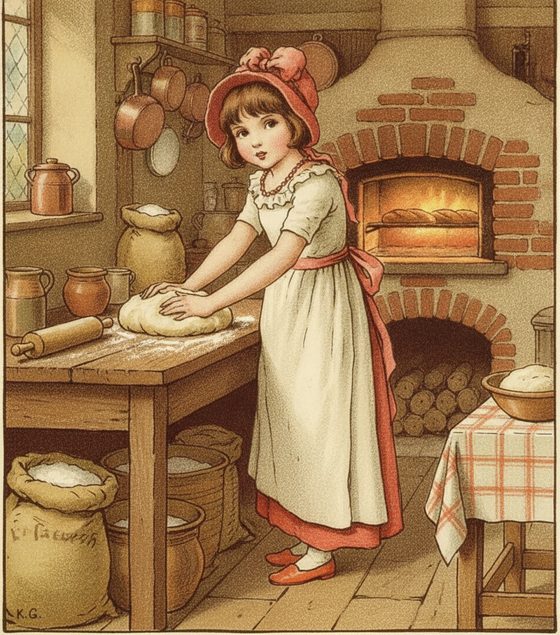
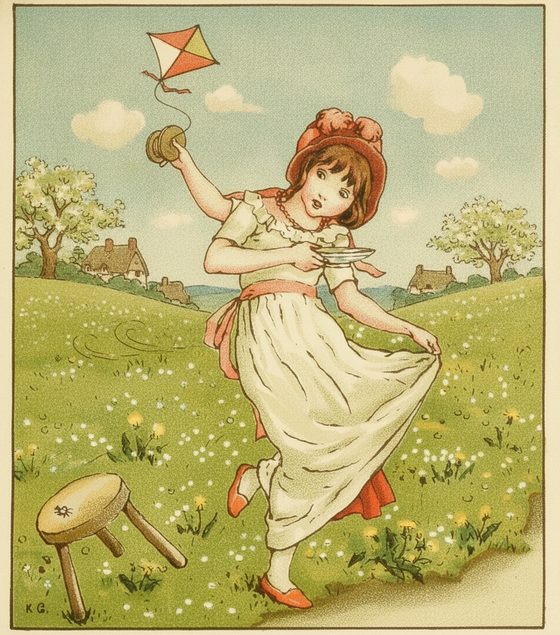
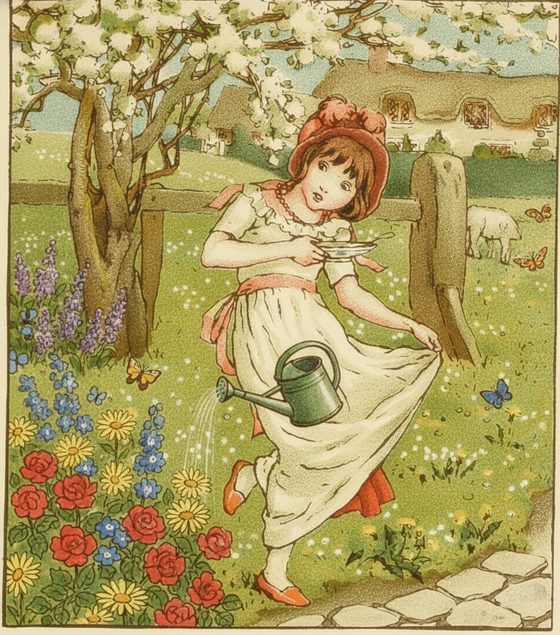
Flat, graphic, and classic illustrated looks — watercolour, gouache, colour-plate, clean line art — carry from scene to scene very reliably. In testing, characters rendered in these storybook mediums held their look across baking, kite-flying, and gardening scenes without the style wandering. If your book has a distinctive palette, name the palette in every prompt.
Do
- Reuse one clean character reference for every spread.
- Name the wardrobe and palette in each scene: "cream dress, red bonnet."
- Keep body proportions and age consistent — describe them if they slip.
- Generate all spreads, then review them as a set to catch the odd one out.
Avoid
- Chain each page off the last output — small drifts compound.
- Rely on a reference where the character's face is turned away.
- Expect tiny text on a book, sign, or label to stay perfectly legible.
- Switch art styles mid-book and hope the character bridges the gap.
When a spread comes back wrong, do not settle — re-run it against the same reference. A second pass usually lands closer, and it is far cheaper than redrawing by hand. Lay your references out first with the free reference-sheet planner.
Questions, answered plainly
Can I make a whole 32-page book with one character?
Yes — that is exactly the use case. Design the character once, keep a clean reference, and generate each spread from it. Review the full set together so any page that drifted off-model is easy to spot and re-run.
Will the text on signs and book covers inside the illustration stay readable?
Not reliably. Generative editing keeps large, prominent shapes and colours but tends to re-render small text as decorative texture. Add any real lettering yourself afterwards in a layout tool rather than expecting the illustration to hold it.
How much does illustrating a book this way cost?
The workbench starts with one free watermarked preview, so you can test your character and a few spreads at no cost. Producing a full book uses one-time 4-, 12-, or 40-scene packs — you buy only what you generate, with no subscription required.
Can I base the character on my own child?
Do not use this marketed workflow for a minor's likeness. Invent a child character, animal, or creature instead, and use only illustrations you created, own, or are licensed to adapt.
Illustrate your first spread
Bring your character and describe the page. Keep them the same, spread after spread.
One free watermarked preview here — no signup. Choose a pack only after you inspect the scene.