The person-consistency method
How to keep the same person across new photos
If every new setting gives you a different face, the problem is not that your prompt needs more adjectives. The tool needs a clear visual anchor. This is the reference-first workflow for adults using their own photos, consenting adults, and hired adult models.
Start with permission. Use your own adult photos, an adult who has knowingly agreed to the new scenes, or a model hired for this use. Do not use public figures, photos taken without consent, minors as a marketed use, deceptive contexts, fabricated endorsements, nudity, or suggestive scenes. A technically strong result does not make an unethical input acceptable.
Give the workbench identity information, not just a name
Use one clear front-facing portrait. That was sufficient for all 30 scenes in the six-identity golden set, including profiles and full-body distance. The engine can accept one optional supporting view, though its lift has not been measured; a third workbench slot stays local for comparison. Avoid sunglasses, heavy filters, motion blur, group photos, and crops that hide the jaw or hairline.
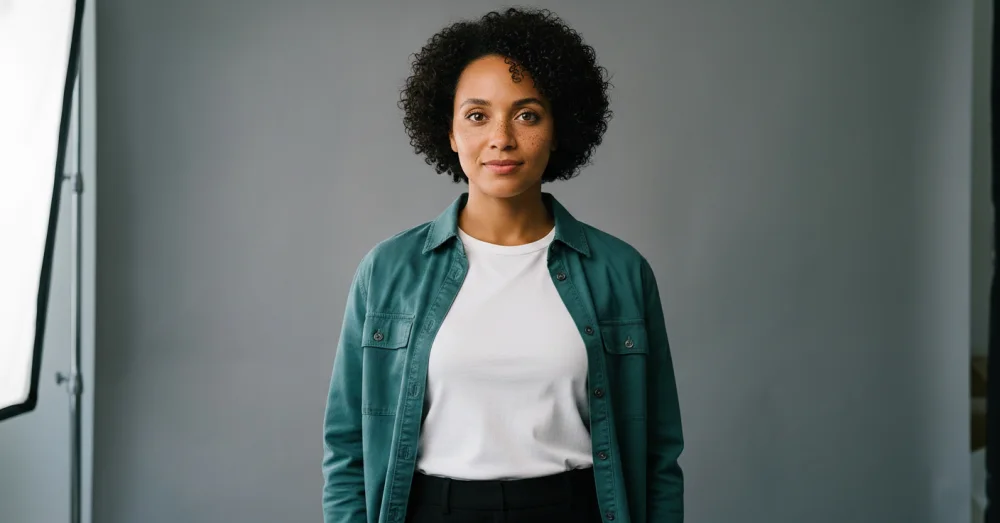
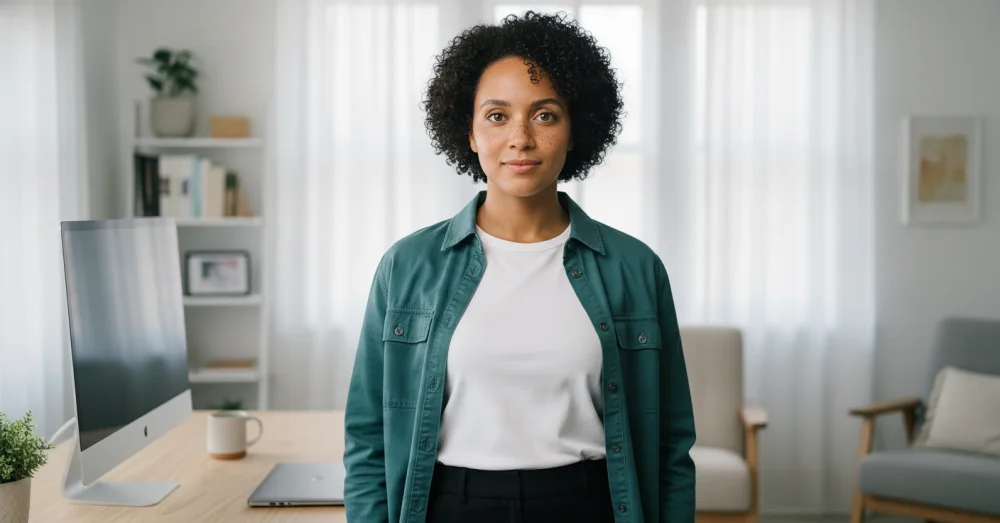
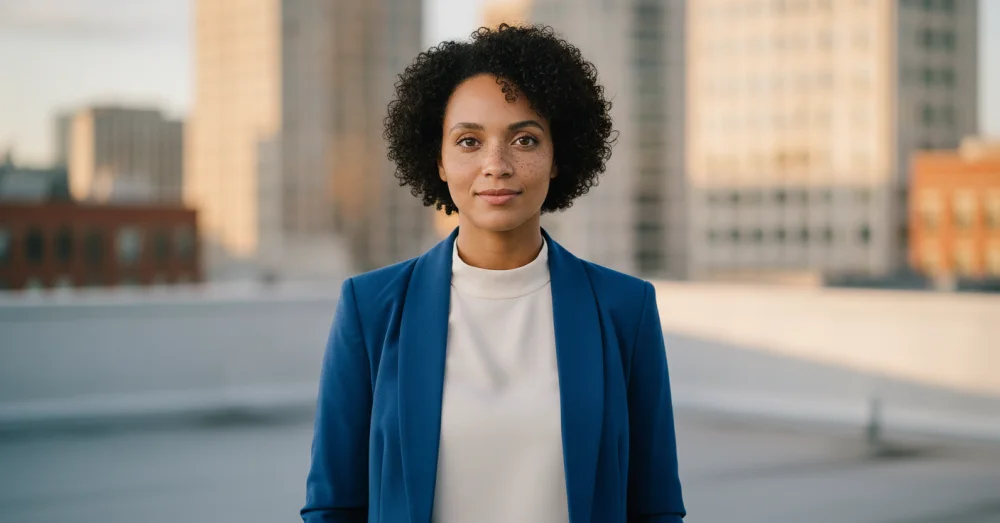
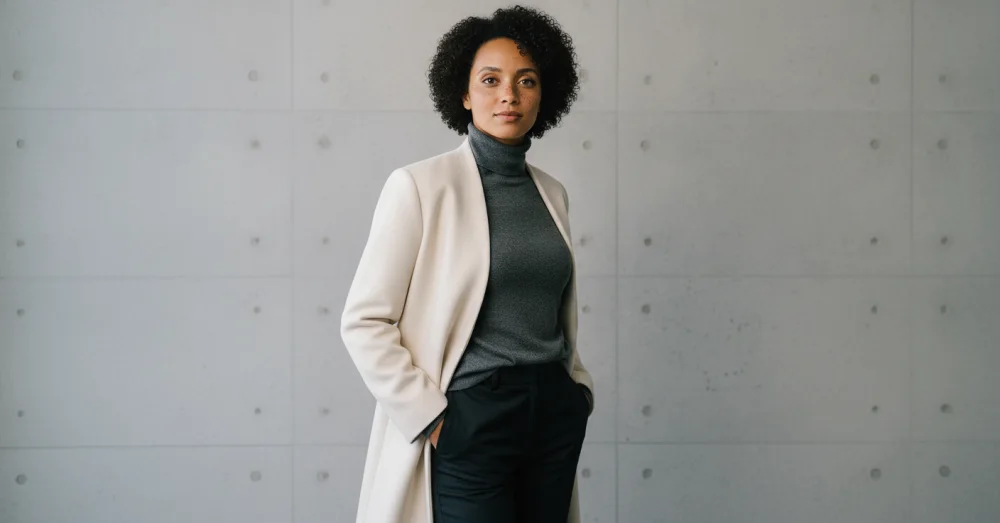
Choose a proven scene and set the outfit rule
The person lane offers workspace, rooftop, podcast, café, lookbook, conference, city-profile, trail-motion, and founder-desk presets. Choose one, then select Lock outfit or Change outfit. Face, hair, age, skin tone, build, visible marks, glasses, and facial hair remain identity anchors either way.
Do
- Use a clear approved primary portrait and compare every result against it.
- Change one major variable at a time while establishing the identity.
- Choose the explicit outfit lock when clothing must stay.
- Review every output beside the references before publishing.
Avoid
- Use a public figure or anyone who has not agreed.
- Ask one cropped portrait to define an unseen full-body pose.
- Treat a plausible lookalike as good enough.
- Publish a misleading setting, endorsement, or event as if it happened.
Judge identity before aesthetics
A beautiful photo with the wrong person is a failed result. Check the eye spacing, nose and mouth shape, jaw, hairline, curl pattern, visible marks, age, skin tone, and body proportions. Then check the requested outfit and scene. Re-run misses from the original references rather than chaining from a drifted output. Our limitations page records what held in testing and where the evidence is still thin.
Questions, answered plainly
How many photos do I need to keep the same person?
One clear portrait was sufficient for all 30 golden-set scenes, including new angles, outfit changes, and full-body distance. The engine accepts one optional supporting view, but its performance lift has not been measured.
Why does the face drift when the outfit changes?
A large outfit, pose, and background change asks the engine to rebuild most of the image at once. Use the dedicated outfit control, inspect identity before aesthetics, and simplify or re-run a drifted attempt from the original approved reference.
Can I use a photo of my employee or customer?
Only with informed permission for this specific kind of generated use. Employment, friendship, or possession of a photo is not automatic consent. For commercial work, keep a clear record of the model release or agreement.
Can the result be used as proof that the person attended an event?
No. A generated scene must not be presented as evidence of an event, action, endorsement, or relationship that did not happen. Use it as clearly created brand or editorial content, never as deceptive documentation.
Build one consented scene first
Bring a clear approved adult reference, choose a proven scene and outfit rule, and compare the result before building the rest of the set.
One free watermarked preview here — no signup. Choose a pack only after you inspect the scene.